

Building a website is exciting. You write the code, design the interface, connect your domain, and finally deploy it to the internet.
But there is one important question:
Can people actually find your website?
A website being publicly accessible doesn't automatically mean that search engines have discovered, crawled, or indexed its pages. Even a well-designed website can struggle with visibility if important technical details are overlooked.
When I think about launching a website, I don't consider deployment the finish line. Making the website discoverable is another important part of the process.
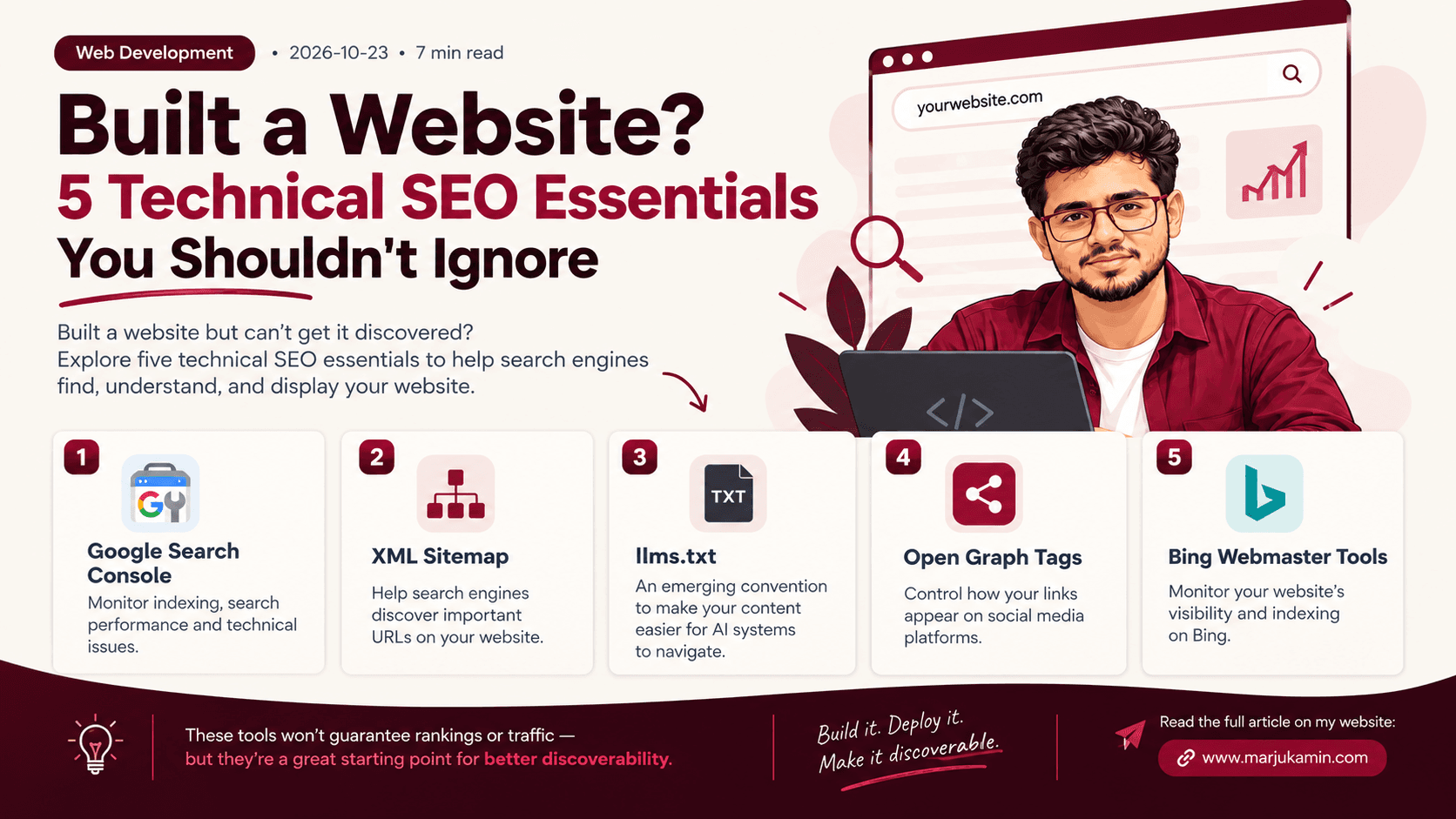
Here are five technical essentials every web developer should understand.
1. Google Search Console
Google Search Console is one of the most useful free tools for understanding how your website performs in Google Search.
It helps you monitor indexing, search impressions, clicks, search queries, and technical issues that may affect your site's visibility.
Why does it matter?
Without Search Console, you may not easily notice that important pages aren't indexed, that Google is encountering crawling issues, or that your pages receive impressions but very few clicks.
What should you do?
- Verify ownership of your website in Google Search Console.
- Inspect important URLs using the URL Inspection tool.
- Monitor indexing reports and identify issues affecting important pages.
- Review search performance to understand impressions, clicks, and queries.
- Check the report periodically after publishing significant changes.
2. XML Sitemap
An XML sitemap provides search engines with a structured list of URLs that you want them to discover.
It can be particularly useful for websites with many pages, frequently updated content, or pages that are not easily discovered through internal links.
Why does it matter?
Search engines can discover URLs through links, but a sitemap provides an additional signal about which pages are important to your website.
For example, a blog with multiple articles can maintain a sitemap containing its canonical article URLs, helping search engines discover new and updated content.
What should you do?
- Generate an XML sitemap for your website.
- Include the canonical URLs of pages you want search engines to discover.
- Avoid including redirected, duplicate, or non-indexable URLs.
- Keep the sitemap updated as your content changes.
- Submit the sitemap through Google Search Console and, where appropriate, Bing Webmaster Tools.
https://example.com/sitemap.xml
The actual path depends on your website's configuration.
Remember: Submitting a sitemap doesn't guarantee that every URL will be crawled or indexed. It helps search engines discover URLs more efficiently.
3. The llms.txt File
As AI-powered tools become more common, developers are exploring ways to make website content easier for AI systems to navigate.
One proposal is llms.txt, a plain-text file intended to provide AI systems with a curated guide to a website's important content and documentation.
Why are developers discussing it?
Large websites often contain extensive documentation, articles, API references, and other information. A concise, structured index could make relevant resources easier for AI tools to locate and process.
What should you do?
If it fits your website's goals, you can experiment with an llms.txt file at the root of your domain:
https://example.com/llms.txt
It might include:
- A brief description of the website.
- Links to important documentation and articles.
- References to developer resources and public guides.
- Short explanations that help readers understand each resource.
An important distinction: llms.txt is a community proposal, not an established Google ranking requirement. Its adoption and practical impact across AI systems remain uncertain. Adding the file does not guarantee that AI systems will read, cite, or recommend your website.
Treat it as an optional experiment rather than a replacement for good content, accessible pages, and standard technical SEO.
4. Open Graph Tags
Have you ever shared a website link on LinkedIn or Facebook and noticed that the preview includes a title, description, and image?
Open Graph metadata helps control how your pages appear when shared on supported social platforms.
Why does it matter?
A clear, relevant preview gives people a better idea of what they will find after clicking a link. It can help your articles and projects look more polished when shared across social media.
What should you do?
Add appropriate Open Graph metadata to important pages. For example:
<meta property="og:title" content="Your Article Title" />
<meta property="og:description" content="A concise summary of your article." />
<meta property="og:image" content="https://example.com/images/article-cover.jpg" />
<meta property="og:url" content="https://example.com/blog/article-slug" />
<meta property="og:type" content="article" />
Use a descriptive title, a useful summary, an accessible image URL, and the correct canonical page URL.
For article pages, you can also add relevant metadata such as the publication time and author where supported.
Important: Open Graph tags primarily improve link previews and sharing presentation. They are not a direct guarantee of better search rankings.
5. Bing Webmaster Tools
Google isn't the only search engine worth considering. Bing also provides tools for website owners and developers.
Bing Webmaster Tools helps you monitor your website's search performance, inspect indexing information, submit sitemaps, and identify certain technical issues.
Why does it matter?
If you only monitor Google, you may miss useful information about how your website appears in Bing Search and other experiences that use Bing's search technology.
What should you do?
- Add and verify your website in Bing Webmaster Tools.
- Submit your XML sitemap.
- Review available indexing and search performance reports.
- Investigate crawl errors and other reported issues.
- Use URL submission features where appropriate and available.
Remember: Bing Webmaster Tools helps you monitor and improve your site's technical readiness and visibility. It does not guarantee indexing or traffic.
A Practical Website Launch Checklist
Before calling your next website launch complete, run through this checklist:
- [ ] Verify the website in Google Search Console.
- [ ] Generate and validate an XML sitemap.
- [ ] Submit the sitemap to relevant webmaster tools.
- [ ] Check that important pages can be crawled and are eligible for indexing.
- [ ] Add appropriate Open Graph metadata to key pages.
- [ ] Consider
llms.txtif it makes sense for your content and audience. - [ ] Set up Bing Webmaster Tools.
- [ ] Check canonical URLs, robots directives, and accidental
noindexsettings. - [ ] Make sure important pages are linked internally.
- [ ] Monitor indexing and performance after launch.
Final Thoughts
A website is more than code, a domain name, and a successful deployment.
It is also about helping the right people discover the work you've built.
Google Search Console helps you monitor Google Search. XML sitemaps support URL discovery. Open Graph metadata improves link previews. Bing Webmaster Tools provides additional search insights. And llms.txt is an emerging convention worth understanding, even though its impact is not yet established.
None of these steps guarantees rankings or traffic. Together with strong content and sound technical foundations, however, they form a practical starting point for website discoverability.
Build it. Deploy it. Make it discoverable.
What about you? How many of these have you implemented on your website?
Share your experience in the comments.
Written by Marjuk Amin | Software Development & Web Technology